Frequently Asked Questions - (FAQ List) - MUMTI
MUMTI Interface
General
What does MUMTI mean?
- MUMTI means mother. Mothers are known to be the first schools in
many cultures. MUMTI will provide that intensive, round-the-clock care
for children and grown ups alike to make of them creative thinkers and
achievers.
- MUMTI also stands for Muslim Universal Media Thru Internet.
You can finally free yourself from the traditional broadcasting systems.
User Interface Related
How do I maximize the currently playing media ?
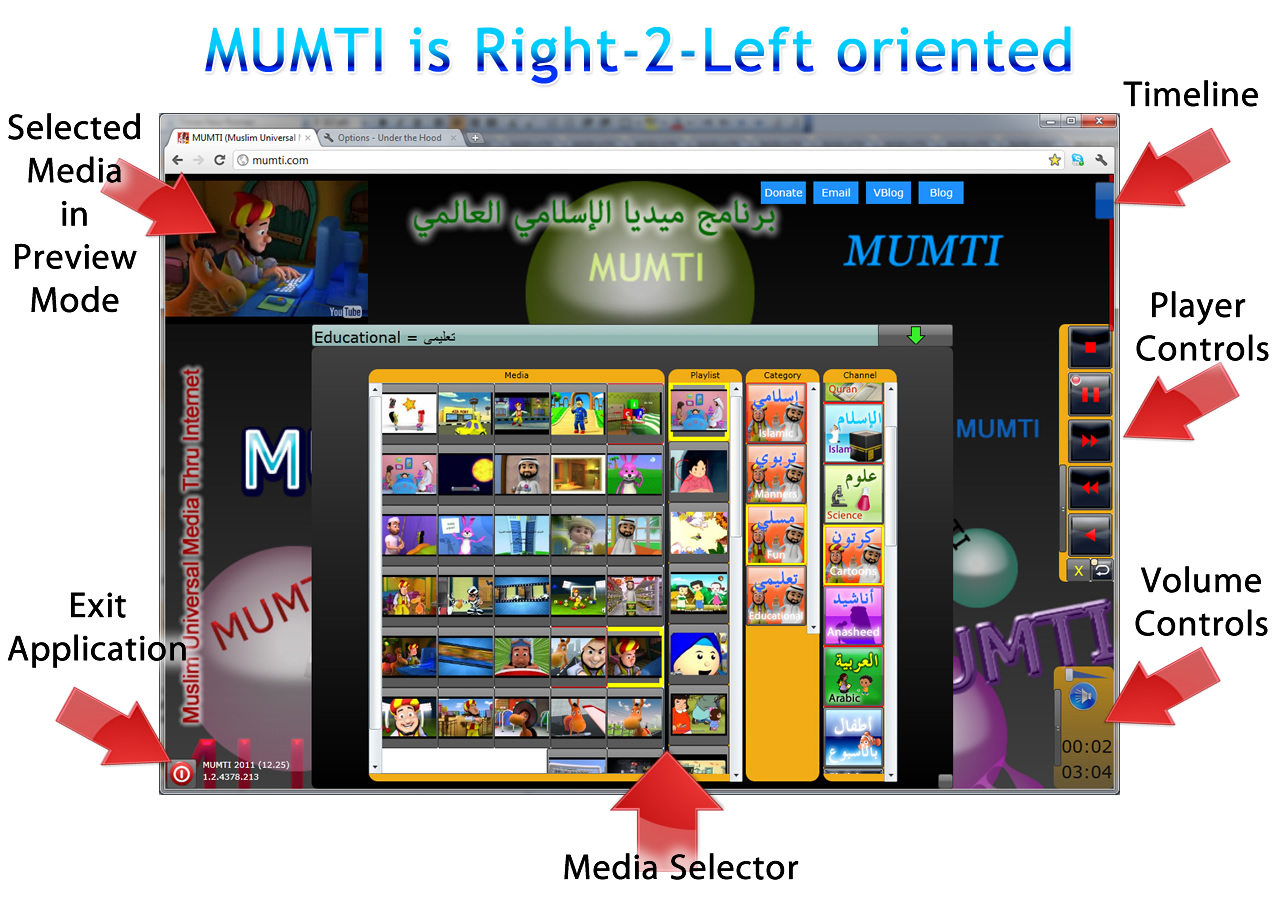
- Press the green arrow button at the top right corner to collapse the "Media Selector" and
maximize the currently selected media.
How do I return the Media Selector?
- Press the red arrow button at the bottom of the screen to return to the "Media Selector"
How do I minimize/iconize MUMTI window?
The following applies when you install MUMTI as web-application to run from
the desktop shortcut:
- Click on the MUMTI running icon on the taskbar, to toggle between
- Though it is not strongly enforced, at the present time, MUMTI is meant
to stay running in full screen and keep children entertained in this
environment.
- Typically, they rarely wander onto the desktop.
How do I make the media selection icons bigger or smaller?
- Increase or decrease the zoom of your browser (you can use Ctrl-mouse-wheel
when the browser has focus) .
- Then refresh the browser
Installation Related
How much space MUMTI "the application" requires?
What is the difference between MUMTI web site and MUMTI "the application" ?
Installing MUMTI "the application" provides the following benefits over MUMTI
web site:
- Additional media is made available, that cannot be played currently
inside the browser.
- It runs in full screen to provide a better environment in particular
for children.
- Provides a one-click launching from a shortcut of the desktop without
requiring the use of the browser. This is particularly useful
for children.
- Safer environment for children are they are not allowed to surf the web.
Which browser are supported with MUMTI?
Do I need a browser to run MUMTI?
-
No. Once
you visit http://mumti.org and install
the MUMTI "the application" you will no longer need a
browser.
-
However, you may choose to run MUMTI from the browser as well anytime.
How do I run MUMTI "the application"
-
Once
installed, MUMTI runs outside the browser in full screen. You
launch MUMTI
from a shortcut on your Desktop or Windows Start menu - All Programs
(The
following shortcut or similar is added during the installation, to
your desktop and start menu)

-
See steps here
http://mumti.org/install/HELP/INDEX.HTM for a desktop shortcut.
Is MUMTI supported on Mobile devices?
PDF documents do not display inside MUMTI The Application
- You need
to setup Acrobat PDF reader options to display within the browser.
Simply follow these steps:
- Open
PDF Reader (from your start menu or a PDF document you may have)
- Use
the Edit / Preferences option
-
Select Internet under Categories in the Preferences dialog.
-
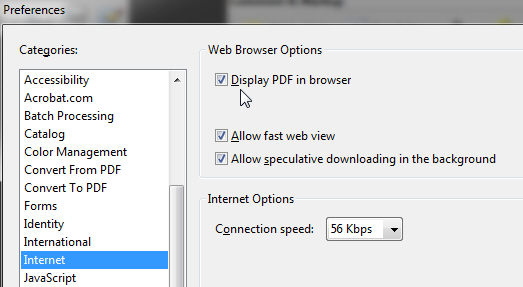
Select the Display PDF in browser option (as shown in the
following snapshot)
Clearing the Browser Cache (History)
-
Periodically, we encourage you clear your browser cache and refresh MUMTI.
Clearing the cache (History) can be accessed via holding the
Shift-Ctrl keys down
and then pressing the Delete
key while the browser has focus. This is applicable to all of the
Internet Explorer, Firefox and Chrome browsers.
 (in Chrome)
 (in Firefox)
 (in Internet Explorer)
YouTube Player Related
YouTube videos end prematurely
-
http://support.mozilla.org/en-US/questions/959095
- go to YouTube, and go to the very bottom, click the link that
says "try something new!". Try the "HTML5 VIdeo and now try to watch the
video. If it works it is a cause of the Adobe Plugin. After you are done
you can disable by going back to the same page.
If HTML5 doesnt work you can try Safe Mode
by holding shift while clicking the Firefox icon and select Safe Mode,
and now without HTML5 try to watch the video using adobe. IF it works
now it is a extenstion you have installed and try to disable them one at
a time by going to about:addons
- Here is the direct-link
http://www.youtube.com/testtube
-
Here is a fix
-
http://lifehacker.com/preload-entire-youtube-videos-by-disabling-dash-playbac-1186454034
- Other fixes suggested by YouTube
-
Video player error message - YouTube Help
I Can't Find the Answer to my Question
- Do you have additional questions and/or
concerns?
- Please submit, we will be happy to address
them...
Related Topics

Support This Project

contact
support(AT-SIGN)mumti.org
� Copyright 2010-2012 MUMTI
Return to
MUMTI
Leave Your Comment here